



What Can You Do With the MySubaru App?
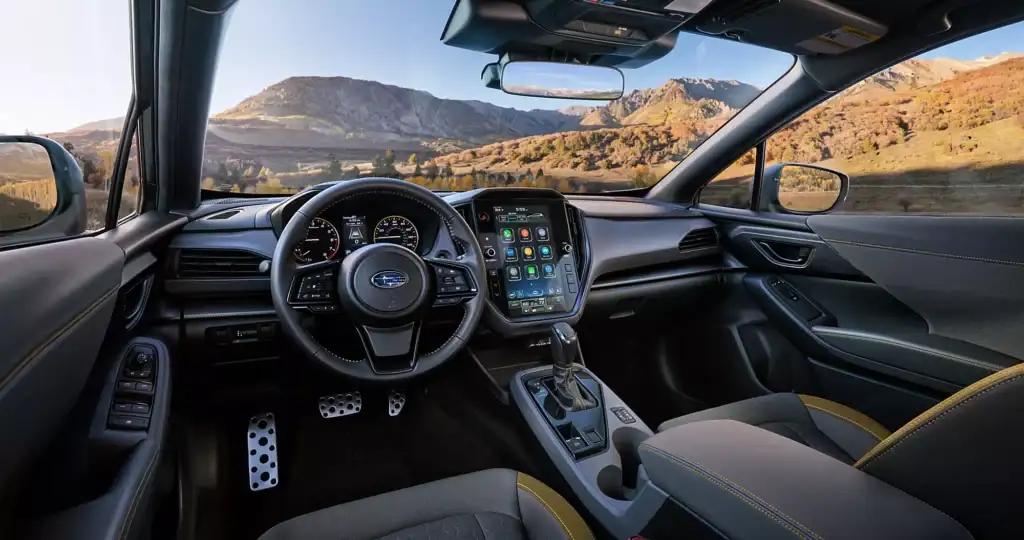
Your Subaru isn’t just a car. It’s your ticket to adventure, safety, and everyday convenience. The MySubaru app transforms your smartphone into mission control for your vehicle, putting you in charge from virtually anywhere. Whether you’re warming up your Outback on a chilly Bradenton morning or checking your car’s health before a road trip, this digital tool keeps you connected to what matters.
What Is the MySubaru App?
Think of the MySubaru app as your vehicle’s digital extension, delivering comprehensive management tools straight to your phone. This mobile platform connects you to your Subaru through MySubaru Connected Services, letting you interact with your car’s systems in real time. You’ll get remote controls, diagnostic information, and safety features that seriously upgrade your ownership experience.
The app keeps tabs on your Subaru’s health, alerts you to potential problems, and makes routine tasks like booking service appointments painless. The interface is intuitive and easy to navigate, even if technology isn’t your strong suit. Here at Conley Subaru, we’ve seen this technology completely transform the ownership experience for our Bradenton and Sarasota customers, creating a seamless bridge between you and your vehicle.
The MySubaru app works with 2019 and newer Subaru models. Basic app functions come free to all Subaru owners, while advanced connected features need a MySubaru Connected Services subscription.
Remote Vehicle Control Features
Remote access completely changes how you interact with your car. The MySubaru app lets you prep your vehicle before stepping outside, which is incredibly valuable during Florida’s scorching summers. You can adjust climate settings from your couch, ensuring the cabin is perfectly comfortable when you’re ready to go.
Lock and unlock doors remotely, eliminating those annoying trips back to the parking lot if you forgot to secure your vehicle. The vehicle locator feature uses GPS tracking to pinpoint your Subaru’s exact location, solving that age-old problem of losing your car in massive parking areas.
Here’s how the MySubaru app stacks up against traditional key fob functions:
| Function | Key Fob | MySubaru App |
| Remote Start | Limited range (typically 100-300 feet) | Unlimited range via smartphone |
| Lock/Unlock | Proximity required | From anywhere with cellular connection |
| Climate Control | Not available | Pre-set temperature remotely (2026+ with Companion+) |
| Vehicle Location | Not available | GPS map showing exact parking location |
| Vehicle Health Monitoring | Not available | Real-time alerts for fuel, battery, tire pressure |
| Service Scheduling | Not available | Book appointments directly through app |
Remote Start and Climate Control
Fire up your engine remotely from inside your house or office, giving the climate control system time to reach your preferred temperature. This really matters during Bradenton’s brutal summer heat when car interiors can become unbearably hot in minutes.
Climate control through the app goes way beyond adjusting temperature. You can activate heated seats, change fan speeds, and manage airflow direction. Remote climate control is available with the Companion+ plan on 2026 and newer models, and was also available on properly equipped 2016–2025 models through the MySubaru Safety and Security Plus plan.
Lock, Unlock, and Vehicle Locator
Secure your Subaru with one tap, providing peace of mind when you’re unsure if you locked the doors. Remote access helps when family members borrow your car, allowing you to unlock doors without being there.
The vehicle locator uses GPS technology to show exactly where your car sits on a map. This becomes a lifesaver in huge parking structures, shopping centers, or unfamiliar areas. Navigate straight to your Subaru instead of wandering through endless rows of cars. The tracking capability also adds a security layer, letting you verify your vehicle’s location anytime.
Vehicle Health and Convenience Monitoring
Your Subaru talks to you through the app’s monitoring systems. Real-time diagnostics keep you informed about your vehicle’s condition, flagging potential issues before they become serious problems. This proactive approach helps you dodge unexpected breakdowns and expensive repairs.
The app tracks maintenance schedules, sending reminders when your Subaru needs attention. You can check service history, view upcoming maintenance, and access specific details about what your vehicle requires.
Real-Time Health Alerts and Diagnostics
Instant notifications about your vehicle’s status come through the app’s alert system. Monitor tire pressure, fuel level, battery level, and door/window status. When your Subaru detects an issue, you get detailed information about the problem and its severity.
These alerts work like an early warning system, catching issues when they’re easier and cheaper to fix. You’re never caught off guard by your vehicle’s needs because the app keeps you constantly informed.
Service Scheduling and Maintenance Tracking
Book service appointments directly through the app, cutting out phone calls and scheduling headaches. View available times, select what works with your schedule, and get immediate confirmation. You can schedule a service appointment with the Conley Subaru service team seamlessly through app integration.
Maintenance history tracking gives you a complete record of all the services performed on your Subaru. Review past work, see what was addressed, and understand your vehicle’s service timeline. This documentation proves valuable for resale and helps you stay organized about your car’s care.
Safety and Emergency Features
Safety features in the app provide crucial backup during emergencies. The system connects you to help when you need it most, whether you’re dealing with an accident, mechanical failure, or other urgent situation.
SOS Emergency Alerts and Collision Notification
Emergency SOS functionality sends distress signals when you need immediate help. If you’re in an accident or facing another emergency, the app notifies authorities and emergency services with your exact location. This rapid response capability can make a significant difference in critical situations.
Collision notification automatically alerts designated contacts when your Subaru gets involved in an accident. Family members receive immediate information about what happened, including your location and collision severity. This automatic communication keeps loved ones informed during emergencies, even if you can’t contact them directly.
Roadside Assistance Access
Flat tire? Dead battery? Keys locked inside? Roadside assistance sits one tap away through the app. Request help directly, providing your exact location through GPS, which speeds up response times. The service connects you with qualified professionals who can handle common roadside problems.
The app simplifies the assistance process by eliminating the need to hunt for phone numbers or explain where you are. Everything happens through a streamlined interface that gets help headed your way quickly.
Family Safety Tools: Boundary and Speed Alerts
Parents get valuable oversight tools through the app’s monitoring features. For 2026 and newer models, these are included with the Companion+ plan. On properly equipped 2016–2025 models, boundary and speed alerts were also available through the MySubaru Safety and Security Plus plan.
Boundary alerts notify you when your Subaru crosses predefined geographic areas, showing if your teen driver has left their expected route. Set up virtual boundaries around specific locations like school, work, or home.
Speed alerts send notifications when your vehicle exceeds predetermined limits. This feature encourages responsible driving habits and provides immediate awareness of potentially unsafe behavior. You receive alerts in real time, allowing prompt conversations about safe driving practices.
These tools promote safety and help build good driving habits. They create opportunities for teaching moments and help young drivers understand why following rules matters.
MySubaru Connected Services and Subscription Plans
MySubaru Connected Services powers the app’s advanced features, providing the cellular connection between your phone and vehicle. Different subscription tiers offer varying functionality levels, from basic remote access to comprehensive safety and security packages.
For 2026 and Newer Vehicles:
| Plan | Key Features Included |
| Companion (Basic) | SOS Emergency Assistance, Enhanced Roadside Assistance, Vehicle Location |
| Companion+ | All Companion features PLUS Remote Engine Start, Remote Climate Control, Boundary Alert, Speed Alert, Valet Mode |
For 2016-2025 Vehicles:
| Plan | Key Features Included |
| Safety | Core protection services |
| Safety and Security Plus | Remote Engine Start, Remote Vehicle Locate, additional convenience features |
Most new Subaru vehicles include a complimentary trial period, letting you experience full capabilities before committing to a paid subscription. If you’re interested in exploring our new Subaru inventory with enhanced Companion+ features, our team can help you understand which models offer the connectivity options you want.
How to Download and Set Up the MySubaru App
Getting started with the app takes just a few minutes. Follow these steps:
- Download the free MySubaru app from the Apple App Store or the Google Play Store
- Create an account using an active email address
- Log in to your account
- Add your vehicle by entering its VIN (found on the vehicle registration or driver’s side dashboard)
- Follow on-screen prompts to complete setup and connect your Subaru
After the setup, explore the interface and get familiar with the available features. Test remote start, check your vehicle’s location, and browse through the health monitoring sections. Understanding what the app offers helps you take advantage of its full potential.
Keep in mind that app features may vary by model year and subscription level. Our team at Conley Subaru can help you understand subscription options and ensure your services are configured properly.
Connect Your Subaru at Conley Subaru Today
Ready to experience the convenience of connected vehicle technology? Visit us at 816 Cortez Rd W in Bradenton to learn more about the MySubaru app and how it enhances your driving experience. Our knowledgeable staff can walk you through setup, answer questions about features, and help you understand subscription options that fit your needs.
As a third-generation, family-owned dealership serving Bradenton, Sarasota, and the surrounding Gulf Coast communities, Conley Subaru combines personal service with modern technology expertise. We’re committed to ensuring you get the most from your Subaru ownership, whether that means explaining app features or providing top-notch maintenance through our certified service department.
Stop by during our sales hours Monday through Friday from 8:30am to 7:00pm or Saturday from 8:30am to 6:00pm. You can also contact our team at 941-770-5250 to schedule an appointment or ask questions about MySubaru Connected Services features. Let us show you how the MySubaru app makes owning your Subaru easier, safer, and more convenient than ever before.
0 comment(s) so far on What Can You Do With the MySubaru App?